Mobile Banking
Bank anytime, anywhere with WEOKIE’s Mobile Banking app. Easily check balances, pay bills, transfer funds, and manage your accounts securely on the go.

Access your WEOKIE accounts securely from any smart device!
CONVENIENCE AT YOUR FINGERTIPS
Try the WEOKIE app and feel the credit union difference.
With Mobile Banking, you can:
- Deposit checks
- Receive instant balances
- Check account history
- Make loan payments
- Transfer funds between your WEOKIE accounts
- Access e-Statements
- Create alerts for your account with Notifi Alerts
- And more!
CLICK HERE TO REGISTER FOR ONLINE BANKING

Please review our Mobile Wallet Terms and Conditions.
Note: You must be registered to use WEOKIE's Online & Mobile Banking.
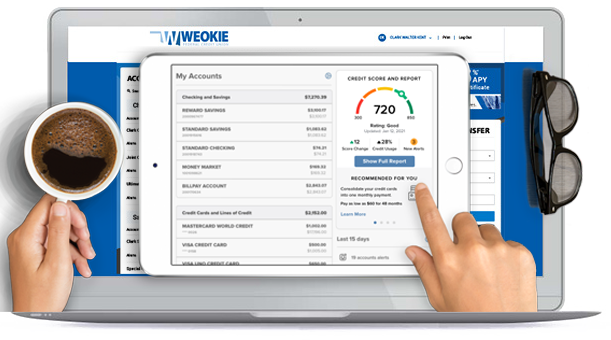
Free, Ongoing Credit Score, Report, and Monitoring with SavvyMoney
Master your credit standing, with no purchase or credit card required.

Note: You must be registered to use WEOKIE's Online & Mobile Banking.
Please review our Mobile Wallet Terms and Conditions.
"Lorem ipsum dolor sit amet, consectetur adipiscing elit"
John Doe
"Lorem ipsum dolor sit amet, consectetur adipiscing elit"
John Doe
"Lorem ipsum dolor sit amet, consectetur adipiscing elit"
John Doe
Disclosures
+ Show All
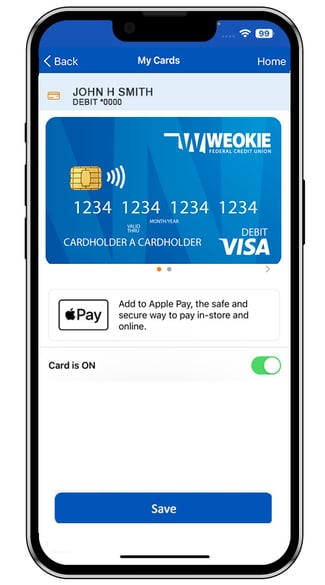
Manage Your WEOKIE Debit Cards Anytime, Anywhere with Card Controls.
Card Controls is an easier way to manage your cards & alerts directly from your WEOKIE Mobile Banking App. Using only one login (your WEOKIE username and password), the now integrated Card Controls helps you to more easily:
-
Turn your WEOKIE debit cards on and off instantly — perfect if you’re not quite sure where a card is
-
Prevent fraudulent activity by setting controls on transaction types, locations, and merchant types where your card can be used
-
Get real-time alerts when types of transactions you specify take place
-
Set dollar limits for transactions and receive alerts when those limits are being reached — no more worrying about going over budget
-
Review and categorize usage of transactions on your debit cards
-
Works in tandem with the WEOKIE Mobile banking app — you must already be using the WEOKIE Mobile Banking app to download and use the Card Controls app
Mobile Deposit
Conveniently deposit checks from anywhere!
Available only in our app for members who are enrolled in Online or Mobile Banking, mobile check deposit enables you to deposit your checks anytime.
-
Simply log in to your mobile app, select "Check Deposit" and follow the on-screen prompts.
-
Endorse the back of your check and write “For Mobile Deposit Only at WEOKIE” below your signature.
-
Take a picture of the front of your check, the endorsed back of your check, verify the amount of the deposit and you're done
-
We recommend you retain the paper check for 2 weeks until it has cleared from the maker's financial institution.

Mobile Banking FAQs
To set up Touch ID or Face ID in Mobile Banking¹, follow the steps below:
- Login to the Mobile App
- Tap the menu button
- Select Profile
- Select Authorized Device Enrollment
- Enter a name for the device
- Enter your User ID and Password
- Tap Enroll
Members are currently limited to 5 check deposits in a single day and a per transaction limit of $3,000 and a per day limit of $5,000
For more information, please visit our Mobile Banking page.
To sign up for Mobile Banking, you must first be registered to use Online Banking. You can complete our Online Registration Form to register.
Once registered, you can visit our Mobile Banking page for links to download the Mobile Banking app. You will use your Online Banking User ID and Password to login.
Checks deposited through Mobile Banking are subject to a two-business-day hold.
You can view the following types of accounts through Mobile Banking:
- Checking
- Savings
- Deposit
- Loan
Follow the steps below to enable automatic updates for the Mobile App:
| Apple Devices | Android Devices |
|
|